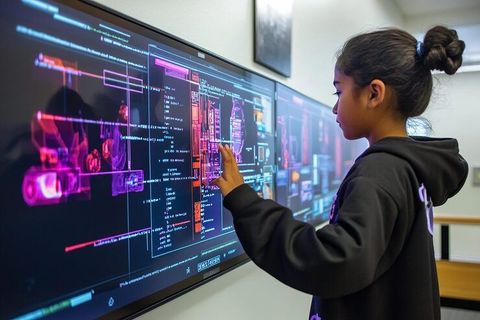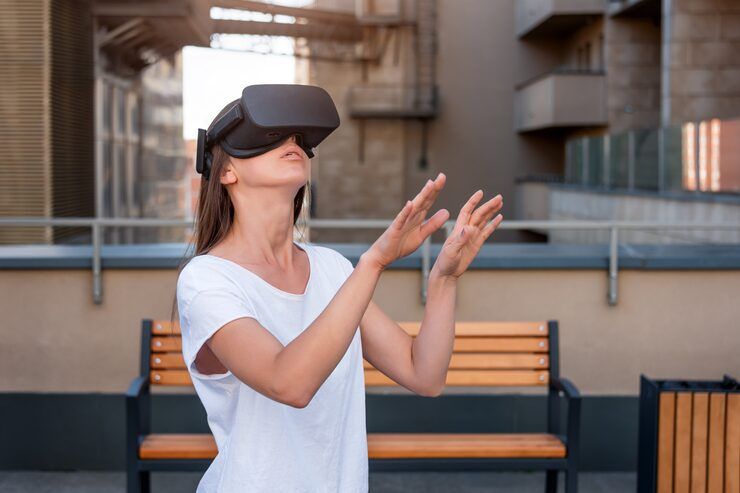
Wireless augmented reality (AR) and virtual reality (VR) connectivity enables immersive devices to communicate with computers, smartphones, local networks, and cloud platforms without requiring a continuous physical data connection. These technologies support interactive digital environments used in entertainment, education, industrial training, healthcare simulations, architecture, and remote collaboration.
AR adds digital information to a view of the physical environment, while VR places users inside a computer-generated environment. Extended reality (XR) is a broader term that includes AR, VR, and mixed reality.
Wireless connectivity is important because immersive applications often require continuous movement, rapid image updates, and responsive interaction. A reliable wireless connection can reduce the need for cables and provide greater freedom of movement, although performance depends on the headset, network, application, and computing hardware.
Understanding Wireless AR/VR Connectivity
Wireless immersive systems generally use a combination of wireless communication, local processing, graphics rendering, and sensor tracking.
A standalone headset may perform most computing tasks internally. Another headset may connect wirelessly to a nearby computer that renders complex graphics. Some applications also use remote computing infrastructure to process demanding workloads.
Common connectivity technologies include:
Wi-Fi: Supports communication between headsets, computers, and local networks.
Wi-Fi 6 and Wi-Fi 6E: Provide improvements in network capacity and access to additional spectrum, where permitted.
Wi-Fi 7: Introduces capabilities designed to improve throughput, reduce congestion, and support demanding wireless applications.
5G mobile networks: Enable communication over cellular infrastructure, including applications that use edge computing.
Bluetooth: Commonly supports controllers, accessories, and peripheral devices rather than carrying the main high-bandwidth VR video stream.
USB and wired connections: May still be used for charging, configuration, development, or high-performance operation.
The best configuration depends on whether the application requires local device communication, wireless PC-based VR, remote rendering, or mobile connectivity.
How Wireless Immersive Systems Work
A wireless AR/VR system typically follows several connected stages.
Motion tracking: Cameras, accelerometers, gyroscopes, and other sensors measure the user's position and movement.
Application processing: A headset or connected computer calculates the virtual scene and determines how the display should respond.
Data transmission: The system communicates relevant information through a local wireless network or cellular connection when required.
Image rendering and display: Graphics are prepared and presented through the headset's screens.
Continuous synchronization: Tracking, audio, images, and user inputs must remain coordinated to maintain a responsive experience.
Some systems transmit rendered images from a computer to a headset, while others transmit application data or environmental information. These approaches have different bandwidth and latency requirements.
Why Wireless AR/VR Connectivity Matters
Wireless connectivity can improve how immersive technology is used across different environments.
Greater Freedom of Movement
Removing a data cable can make it easier to turn, walk within a designated area, and interact naturally with virtual objects. This is particularly useful for fitness applications, immersive gaming, workplace training, and virtual demonstrations.
However, wireless operation does not remove physical safety requirements. Users still need adequate space, clear boundaries, and awareness of nearby people and objects.
Industrial and Educational Applications
Organizations use AR and VR to simulate tasks, explain complex processes, and visualize digital information.
Examples include:
Equipment maintenance training
Factory layout visualization
Architectural walkthroughs
Engineering design reviews
Interactive classroom lessons
Emergency-response simulations
Remote technical demonstrations
Wireless connectivity can make these applications easier to deploy across training rooms, laboratories, and selected industrial environments.
Cloud and Edge Computing
High-quality immersive graphics can require substantial computing resources. Edge computing places processing resources closer to the user, potentially reducing network travel time compared with a distant cloud location.
However, edge computing does not automatically guarantee low latency. Network congestion, routing, server performance, and application design all influence responsiveness.
Important Performance Factors
Several technical measurements help explain wireless AR/VR performance.
| Factor | Meaning | Why It Matters |
|---|---|---|
| Latency | Time required for data to travel through a system | Affects responsiveness |
| Bandwidth | Amount of data transferred over time | Influences high-resolution streaming |
| Jitter | Variation in packet delivery time | Can affect smooth playback |
| Packet loss | Data packets that fail to arrive | May cause visual or audio disruption |
| Refresh rate | Number of display updates per second | Influences perceived motion smoothness |
| Signal strength | Quality of the wireless connection | Affects reliability and throughput |
High bandwidth alone is not sufficient. A system with substantial throughput may still perform poorly if latency varies considerably or the headset and computer cannot process frames quickly enough.
Recent Developments in Wireless AR/VR Technology
During 2025 and 2026, wireless immersive technology continued to develop alongside Wi-Fi 7 adoption, spatial computing, and research into future mobile networks.
Wi-Fi 7 and Immersive Applications
Wi-Fi 7, based on IEEE 802.11be, supports features such as wider channels, 4K QAM modulation, and Multi-Link Operation. These capabilities can improve throughput and connection flexibility on compatible devices and networks.
Multi-Link Operation can allow supported devices to use multiple wireless links, depending on their hardware and configuration. Actual performance depends on interference, network design, spectrum availability, and device compatibility.
Wi-Fi 7 does not guarantee a particular latency or frame rate for every AR/VR application. The entire system must be designed to support the intended workload.
5G and Edge Computing
5G networks continue to support research and development involving remote rendering, industrial AR, and cloud-assisted immersive applications.
Edge computing can reduce the distance between a user and the computing infrastructure processing an application. This may be useful when a lightweight headset depends on a nearby server for graphics or data processing.
Results vary according to network deployment, server placement, wireless coverage, and the processing requirements of the application.
Spatial Computing and Mixed Reality
Spatial computing increasingly combines digital objects with information about the user's surroundings. Headsets may use cameras, depth sensors, motion tracking, and environmental mapping to position virtual content within a physical space.
Wireless connectivity can support collaboration, shared environments, and access to external computing resources. At the same time, local processing remains important for many tracking and display functions because delays can interfere with the experience.
Wi-Fi 8 Research
Research into IEEE 802.11bn, commonly referred to as Wi-Fi 8, focuses on improving reliability and performance consistency in challenging wireless environments. As of 2026, development and standardization work remain distinct from broad commercial availability of finished Wi-Fi 8 products.
For current AR/VR deployments, device compatibility and real-world network testing are more useful decision factors than relying on future technology projections.
Laws, Regulations, and Connectivity Policies
Wireless AR/VR systems are affected by radio-frequency regulations, cybersecurity requirements, privacy laws, and product safety standards. The exact requirements depend on the country, device capabilities, and intended use.
Radio Spectrum Regulations
In the United States, the Federal Communications Commission (FCC) regulates radio-frequency devices and spectrum use. Wi-Fi equipment must comply with applicable technical and operating requirements.
In India, the Department of Telecommunications and the Wireless Planning and Coordination Wing oversee relevant telecommunications and spectrum matters. Permitted frequency bands and technical requirements should be verified for the intended deployment.
Devices intended for international use may require compliance with different regional certification requirements.
Privacy and Data Protection
AR/VR headsets may collect sensitive information through cameras, microphones, eye tracking, motion sensors, location data, or environmental mapping.
Organizations deploying immersive systems should consider applicable privacy laws, including the European Union's General Data Protection Regulation where relevant, India's Digital Personal Data Protection Act, 2023, and other national or regional requirements.
Appropriate measures may include data minimization, clear user notices, access controls, secure storage, and restrictions on unnecessary collection of biometric or environmental information.
Cybersecurity and Workplace Safety
Wireless systems should use appropriate encryption, secure authentication, software updates, and network segmentation where needed.
For workplace deployments, organizations should also assess physical hazards, headset hygiene, user fatigue, visibility limitations, and risks associated with movement in shared spaces.
Tools and Resources for Wireless AR/VR Planning
Several tools can help evaluate wireless network performance and immersive application requirements.
Network Testing Tools
Wi-Fi analyzers and network diagnostic applications can help identify signal strength, channel congestion, and connection instability.
Network throughput and latency tests can provide a baseline, although ordinary internet speed tests do not necessarily represent performance between a headset and a local computer.
Developer Platforms
AR/VR development platforms provide tools for testing tracking, rendering performance, frame timing, and application behavior.
Developers can use performance profilers to identify whether delays originate in graphics processing, network communication, application logic, or device hardware.
Deployment Checklist
Before configuring a wireless immersive environment, assess:
Headset and computer compatibility
Supported Wi-Fi standards and frequency bands
Router placement and network congestion
Required graphics resolution and frame rate
Local versus cloud rendering requirements
Security and privacy controls
Battery life and thermal performance
Physical space and user safety
A pilot test in the intended environment can reveal interference and performance issues that may not appear in laboratory conditions.
Frequently Asked Questions
What is wireless AR/VR connectivity?
It is the wireless communication used by augmented and virtual reality systems to exchange data with computers, local networks, peripherals, or remote computing platforms.
Is Wi-Fi 7 suitable for wireless VR?
Wi-Fi 7 can support demanding wireless VR applications when the headset, computer, router, and software are compatible. Actual performance depends on signal quality, interference, network configuration, and rendering requirements.
Is 5G required for wireless AR/VR?
No. Many AR/VR applications operate locally using a standalone headset or a Wi-Fi connection. 5G is useful for selected applications involving cellular connectivity, remote computing, or access outside a local network.
What causes lag in wireless VR?
Lag can result from network congestion, weak signals, packet loss, excessive rendering time, hardware limitations, or delays in application processing. Troubleshooting should examine the entire system rather than bandwidth alone.
Is wireless AR/VR safe for workplace use?
It can be used safely when appropriate procedures are followed. Organizations should assess the physical environment, user movement, data privacy, cybersecurity, equipment maintenance, and application-specific risks.
Conclusion
Wireless AR/VR connectivity combines wireless networking, motion tracking, graphics processing, and immersive display technology. It enables flexible experiences in entertainment, education, engineering, industrial training, and spatial computing.
Developments in Wi-Fi 7, 5G, and edge computing provide additional options for applications that require responsive communication and high-quality graphics. However, performance depends on the complete system, including hardware, network conditions, software, and security configuration.
A practical approach begins with clearly defined application requirements, compatibility checks, realistic network testing, and appropriate privacy and safety measures. These steps help organizations and individual users understand the capabilities and limitations of wireless immersive technology.