Data center virtualization is a technology approach that uses software to represent and manage computing resources independently of their underlying physical hardware. Instead of assigning one physical server to each application, organizations can use virtualization software to run multiple isolated virtual machines on a single physical server.
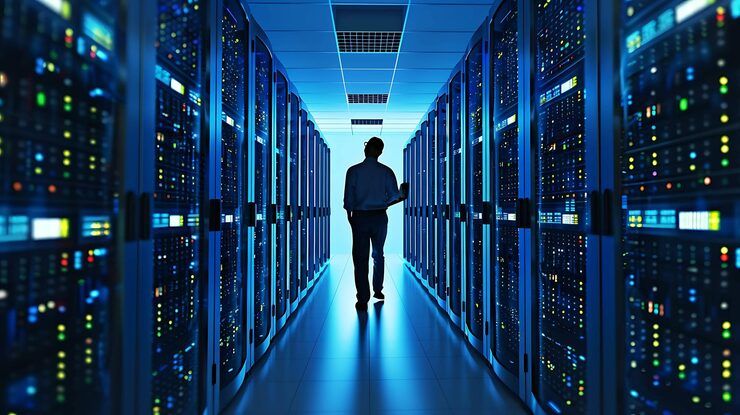
A data center typically contains servers, storage systems, networking equipment, security controls, and supporting infrastructure. Virtualization allows these resources to be allocated more flexibly, helping organizations manage workloads without requiring a separate physical machine for every application.
The technology is widely used in enterprise IT infrastructure, cloud computing, application hosting, disaster recovery, and large-scale digital platforms. It can support traditional business applications as well as modern environments that use containers, automation, and artificial intelligence.
Understanding Data Center Virtualization
At the center of server virtualization is a software layer called a hypervisor. It creates and manages virtual machines, allocating physical computing resources such as processors, memory, storage, and network capacity to each virtual environment.
Each virtual machine runs its own operating system and applications while sharing the underlying hardware with other virtual machines.
Data center virtualization can extend beyond servers to include storage, networking, and management systems.
Server virtualization: Divides physical computing capacity into multiple virtual machines.
Storage virtualization: Combines or abstracts storage resources so they can be managed through a unified layer.
Network virtualization: Creates logical networks independently of individual physical network devices.
Desktop virtualization: Provides desktop environments hosted centrally or delivered remotely.
Management virtualization: Uses software and automation to coordinate infrastructure resources.
A software-defined data center brings these capabilities together through software-based control and automated management.
How Virtualization Works
A typical virtualized data center begins with physical servers connected to storage and networking infrastructure. A hypervisor allocates hardware resources to virtual machines, while management software helps administrators monitor capacity, configure workloads, and maintain system availability.
A simplified process includes:
Physical servers provide processing power and memory.
The hypervisor creates and manages virtual machines.
Storage and network resources are assigned to workloads.
Monitoring tools track performance and resource utilization.
Automation supports provisioning, maintenance, and workload movement where supported.
Virtual machines can often be migrated between compatible hosts, subject to the platform's technical requirements. This capability can help administrators perform maintenance or redistribute workloads while reducing disruption.
Why Data Center Virtualization Matters
Data center virtualization helps organizations use physical computing infrastructure more flexibly. It can simplify the management of applications, support workload consolidation, and make infrastructure changes easier to coordinate.
Resource Utilization and Scalability
In a traditional environment, a physical server may remain underused when its assigned application requires only a small portion of its available processing capacity. Virtualization allows multiple workloads to share the same server, provided that sufficient resources and isolation are maintained.
Organizations can also create additional virtual machines when demand increases, subject to available hardware capacity and software licensing requirements.
Business Continuity and Disaster Recovery
Virtualization can support business continuity by making workloads easier to replicate, restore, or move between compatible systems. Combined with backup systems and disaster recovery planning, it can help organizations recover applications after hardware failures or other disruptions.
However, virtualization alone does not guarantee continuity. Effective recovery also requires tested backups, redundant infrastructure, appropriate network design, and documented recovery procedures.
Infrastructure Management and Security
Centralized management tools can help IT teams monitor virtual machines, identify resource bottlenecks, and apply consistent configuration policies.
Virtualization also provides logical separation between workloads. Nevertheless, a compromised hypervisor or poorly configured management environment can affect multiple virtual machines, making security controls essential.
Recent Developments in Data Center Virtualization
During 2025 and 2026, data center virtualization has increasingly intersected with hybrid cloud infrastructure, artificial intelligence, software-defined networking, and changes in enterprise virtualization platforms.
Hybrid Cloud and Distributed Infrastructure
Organizations increasingly manage workloads across private data centers, public cloud platforms, and facilities located closer to users or industrial equipment.
Hybrid infrastructure allows organizations to select environments according to performance, data residency, security, and operational requirements. Virtualization and centralized management software can help maintain consistent deployment and monitoring practices across these environments.
However, compatibility, network latency, data transfer requirements, and differences between platforms can complicate management.
Artificial Intelligence and Accelerated Computing
AI workloads have increased demand for infrastructure capable of supporting GPUs, high-speed networking, and large-scale storage.
Virtualization platforms are adapting to accommodate specialized computing resources, including GPU allocation and isolation. The capabilities available depend on hardware, hypervisor versions, drivers, and workload requirements.
AI infrastructure may also combine virtual machines with containers and orchestration platforms, allowing organizations to manage traditional enterprise applications alongside newer computational workloads.
Kubernetes and Container Infrastructure
Containers provide another way to isolate and deploy applications. Unlike conventional virtual machines, containers generally share the host operating system kernel, which can reduce overhead for suitable workloads.
Organizations increasingly combine virtual machines and containers rather than treating them as competing technologies. Virtual machines can provide infrastructure isolation, while container platforms coordinate application deployment and scaling.
Platform and Licensing Changes
Enterprise virtualization platforms have continued to evolve in areas such as subscription arrangements, product packaging, security, and centralized management. Organizations reviewing their infrastructure in 2025–2026 should assess current vendor terms, technical compatibility, support arrangements, and migration requirements.
A platform migration should be evaluated through testing and workload assessment rather than assuming that every virtual machine can be transferred without changes.
Laws, Policies, and Compliance Requirements
Data center virtualization is affected by data protection laws, cybersecurity regulations, industry standards, and contractual requirements. The applicable rules depend on where an organization operates, where its data is stored, and which industries it supports.
Data Protection and Privacy
Organizations handling personal information must consider applicable privacy legislation.
In the European Union, the General Data Protection Regulation (GDPR) establishes requirements for processing and protecting personal data. Virtualized environments must be configured to support appropriate access controls, data protection, and incident management.
In India, the Digital Personal Data Protection Act, 2023, establishes a framework for digital personal data protection, alongside applicable rules and commencement notifications. Organizations should verify the provisions currently in force and their specific obligations.
Cybersecurity and Infrastructure Standards
Security frameworks such as the National Institute of Standards and Technology Cybersecurity Framework provide guidance for identifying, protecting, detecting, responding to, and recovering from cybersecurity incidents.
Data center administrators should consider:
Multi-factor authentication for management accounts
Role-based access controls
Network segmentation
Hypervisor security updates
Encryption for sensitive information
Centralized logging and threat monitoring
Regular backup and recovery testing
Documented incident response procedures
Organizations handling payment card information may also need to follow applicable Payment Card Industry Data Security Standard requirements.
Energy Efficiency and Infrastructure Planning
Data centers require electricity for computing, cooling, storage, and networking. Virtualization can improve hardware utilization, but the actual environmental impact depends on workload demand, cooling efficiency, hardware design, and the electricity source.
In the European Union, the Energy Efficiency Directive includes provisions concerning energy performance reporting for data centers. Such requirements can affect how operators measure and document infrastructure efficiency.
Virtualization should therefore be evaluated alongside power usage effectiveness, equipment utilization, cooling performance, and overall infrastructure demand.
Tools and Resources for Data Center Virtualization
Several platforms and technical resources help organizations plan, deploy, and maintain virtualized infrastructure.
Common Virtualization Platforms
Platform or Tool | Primary Purpose |
|---|---|
VMware vSphere | Enterprise server virtualization and virtual machine management |
Microsoft Hyper-V | Virtual machine hosting within Microsoft environments |
KVM | Open-source kernel-based virtualization |
Proxmox Virtual Environment | Virtual machine and container management |
Microsoft Azure Local | Distributed infrastructure for selected hybrid environments |
Kubernetes | Container orchestration and application management |
Prometheus and Grafana | Infrastructure monitoring and performance visualization |
Platform capabilities, licensing, hardware compatibility, and support arrangements should be checked before implementation.
Planning and Monitoring Resources
Useful technical resources include:
Capacity-planning spreadsheets
Virtual machine inventory templates
Hardware compatibility matrices
Network architecture diagrams
Backup and disaster recovery plans
Infrastructure monitoring dashboards
Security configuration checklists
Energy consumption calculators
Capacity planning should account for processor utilization, memory allocation, storage performance, network throughput, redundancy, and expected workload growth.
A useful operational metric is the ratio of virtual machines to physical hosts, but this number should not be interpreted in isolation. Actual performance depends on the resource requirements of each workload and the resilience of the overall design.
Frequently Asked Questions
What is data center virtualization?
Data center virtualization uses software to abstract physical computing resources and create logical environments such as virtual machines, virtual networks, and virtual storage systems. It helps organizations manage multiple workloads using shared infrastructure.
What is the difference between virtualization and cloud computing?
Virtualization is a technology for abstracting physical resources. Cloud computing combines computing resources with capabilities such as automated provisioning, flexible allocation, usage monitoring, and network-based access. Virtualization can support cloud computing, but the two concepts are not identical.
Is data center virtualization suitable for small businesses?
It can be suitable for small and large organizations. The appropriate design depends on application requirements, existing hardware, IT expertise, security needs, and available infrastructure capacity.
How does virtualization improve disaster recovery?
Virtualization can simplify workload replication, recovery, and migration between compatible systems. Effective disaster recovery still requires reliable backups, suitable recovery infrastructure, documented procedures, and regular testing.
What are the main risks of data center virtualization?
Important risks include hypervisor vulnerabilities, excessive resource allocation, management access compromise, configuration errors, and failures affecting multiple virtual machines on the same host. Security controls, monitoring, redundancy, and maintenance reduce these risks.
Conclusion
Data center virtualization is an important foundation of modern IT infrastructure. By separating computing workloads from individual physical servers, it enables organizations to manage resources more flexibly and support a wide range of applications.
Recent developments involving hybrid cloud systems, AI computing, containers, and enterprise virtualization platforms demonstrate how the technology continues to evolve. At the same time, organizations must consider cybersecurity, data protection, energy efficiency, licensing, and infrastructure resilience.
Successful implementation requires careful capacity planning, appropriate platform selection, consistent security controls, and tested recovery procedures. When these elements are managed together, virtualization can help organizations maintain reliable infrastructure while adapting to changing technical requirements.